Quackoria Tools
Duck Meme Maker: Put Words on a Duck
Pick one of our duck drawings or use your own photo, add the top and bottom text, and download the picture. Everything happens on this page; nothing is uploaded.
How to use it
- Pick one of the twelve duck drawings, or choose a photo from your device. The photo is drawn on the page and never uploaded.
- Type the top text and the bottom text. Either can be left empty. Choose the text size; CAPITALS is on by default.
- The preview updates as you type. Untick the small quackoria.com mark if you do not want it.
- Press Download PNG. The picture is saved to your device at up to 1600 pixels on the longer side.
How it works
Pick one of the twelve duck drawings, or choose a photo from your own device. Type a line for the top and a line for the bottom — either can be left empty — choose the text size, and the picture updates as you type. The text is drawn in the classic heavy white-with-black-outline style and wraps onto extra lines when it is long. Press Download PNG and the finished picture is saved to your device at the size of the original, up to 1600 pixels on the longer side.
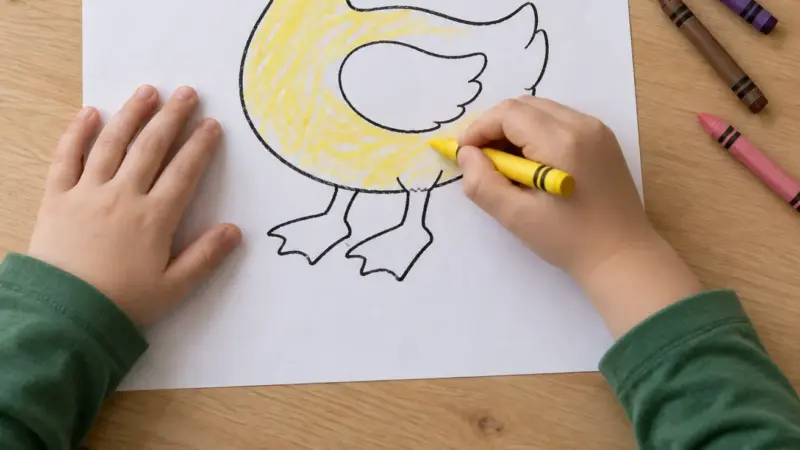
The drawings are Quackoria’s own: the birthday duck, the duck in the bath, the chef, the astronaut, the school duck with a backpack, the beach duck in sunglasses, the winter duck, the reader, the kite-flier, the frog meeting, the family walk and the flying duck. They are the same pictures as the colouring pages without the frame and the name line, and you are welcome to use the memes you make from them anywhere.
Your photo never leaves your device
When you choose a photo, the browser reads the file and draws it on the page. It is not uploaded to this site or to anyone else; there is no server on the other end of that button. The finished meme is built on your device too. Close the page and nothing remains. That is also why there is no gallery of other people’s memes here — we never see them.
Very large photos are scaled down to 1600 pixels on the longer side before drawing, which keeps the download a reasonable size and the text readable. Photos from a phone camera are usually larger than that, and the page tells you when it has scaled one.
A few ideas
The keeper’s jokes — the full water bowl that becomes soup in four seconds, the egg laid where you cleaned yesterday, the drake with one tidy feather — are in the hundred duck jokes, and a good many of them fit on a picture. The sayings at the end of that list (“keep calm and waddle on”, “calm on the surface, paddling like mad underneath”) were written with cards and captions in mind. If the duck in your photo needs a name for the caption, the name generator will offer one.
Please keep it kind
This page is used by children and by teachers, so it is built for pictures you would be happy to see on a classroom wall. Words on a duck are funnier than words about a person. If you make one that is worth sharing, the buttons at the bottom of the page send the link to whoever should see it — the meme itself is on your device, so attach it from there.
Frequently asked questions
Is my photo uploaded anywhere?
No. The browser reads the file and draws it on the page; nothing is sent to this site or any other. Close the page and it is gone.
Can I use the duck drawings in my memes?
Yes. They are Quackoria's own drawings and you are welcome to use the memes you make from them anywhere.
Why is the text wrapping onto two lines?
Long text wraps so it stays inside the picture. Use fewer words or the Small text size for a single line.
What size is the download?
The size of the picture you chose, up to 1600 pixels on the longer side. Larger photos are scaled down before drawing.
Does it work on a phone?
Yes. Choosing a photo opens the phone's camera roll, and the download goes to the phone's downloads or photos, depending on the browser.
Last reviewed: September 16, 2026